Process to Delete User Data
You can fully delete your account through the Courts Cook App by following the instructions below.
1. Ensure you are logged into Courts Cook App
Log in via any of the listed methods.

2. Navigate to the Profile Page
Once you are successfully logged in, click the profile icon in the bottom-right corner of the screen.

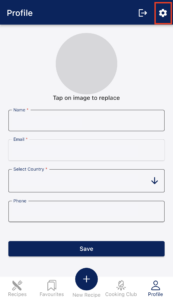
3. Go to App Settings
On the profile page, click the settings (gear) icon in the top-right corner of the screen.
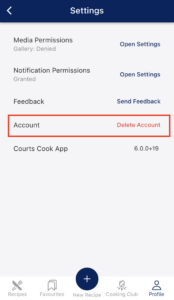
4. Delete Account
Tap on “Delete Account” as seen in the image below.
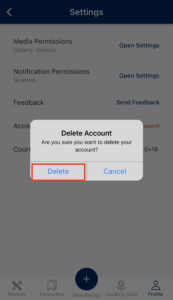
5. Confirm Deletion
Tap on “Delete” to confirm your request.